 Bari
Bari
How people join Bari texts
This page shows the full opt-in workflow for Bari missed-dose alert texts, sent by Flemming Consulting Group, LLC, doing business as Bari. It is here for carriers and our text message provider to review. Names and numbers in the pictures are made up.
Step 1: The Bari user adds a contact in the app
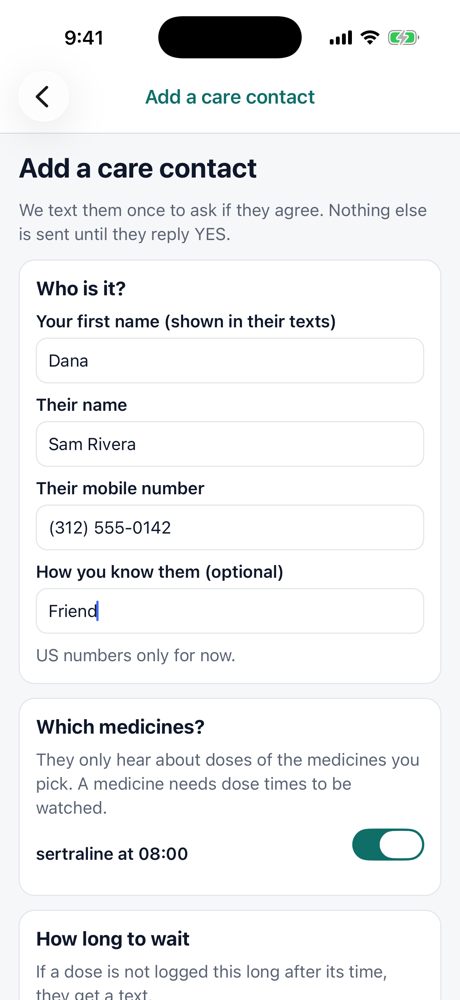
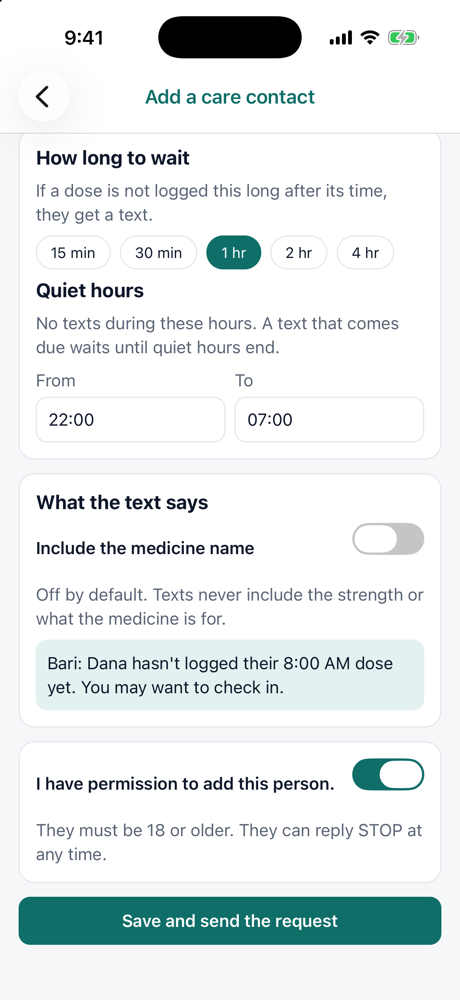
In the Bari app, the user turns on "Text alerts to people you choose", then opens Settings, Care contacts, Add a care contact. They enter the person's name and mobile number, pick which medicines the person hears about, and see the exact text the person could get. They must turn on "I have permission to add this person." before they can save. The screen says the person must be 18 or older and can reply STOP at any time.
Step 2: The person gets one request text and must reply YES
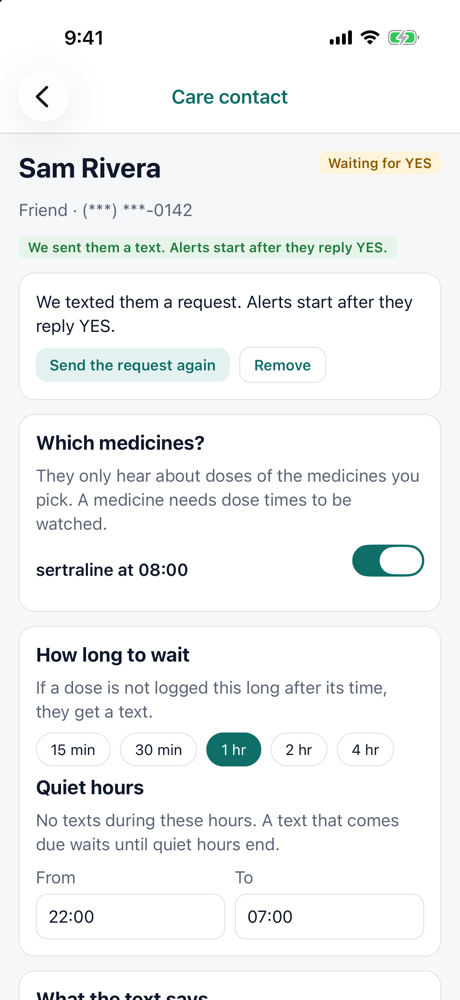
Nothing else is sent until the person replies YES. If they do not reply within 7 days, the request expires. A number gets at most 2 requests in 30 days.
Text from Bari
Illustration of the text thread. The wording is the exact text our system sends.
Step 3: Alerts
If a dose the user scheduled is not logged in time, the person gets:
Up to 3 alerts per day. No texts during quiet hours (10 PM to 7 AM by default). Texts never include dose strength or health conditions.
Stopping and help
- Reply STOP (or STOPALL, UNSUBSCRIBE, CANCEL, END, QUIT) to stop all texts. Reply START to allow texts again.
- Reply HELP (or INFO) to get: "Bari missed-dose alerts. For help, visit bari-med.com/sms or email support@bari-med.com. Reply STOP to opt out. Msg & data rates may apply."
- The Bari user can pause or remove the contact at any time in the app.
See our Text Message Terms and Privacy Policy. We do not sell or share mobile phone numbers or text message opt-in consent with anyone for marketing or promotional purposes.